That small trident printed next to a USB port is easy to ignore — until you plug in a cable and realise your "fast" transfer is crawling. The symbol has been telling the truth all along. You just need to know how to read it.
The trident is the USB's official badge
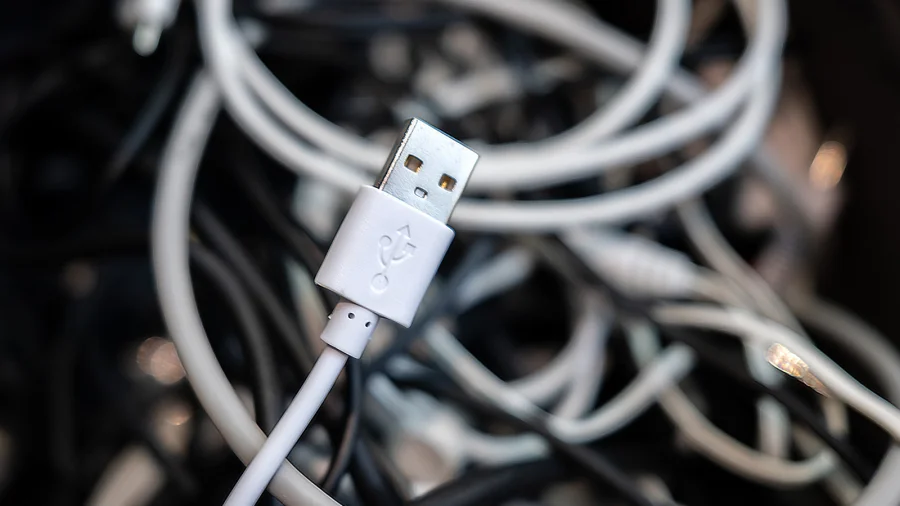
When you see a trident-like fork printed on a port or cable plug, that is the USB Implementers Forum's standard certification mark. It signals that the product has been tested to meet basic USB specifications for data and power.
But the trident alone is only the beginning of the story. It confirms a device is USB, not how fast it works.
Why the symbol has three prongs
The trident's three prongs are commonly described as representing the three core parts of a USB connection: power, ground and data. In most versions, the middle prong extends into a shaft with an arrow, suggesting the direction of the signal flow.
It is a design mark, not a speed rating. That is why the same trident can appear on a slow phone charger and a high-end external SSD.
Reading the fine print: SS, numbers and battery icons
The real information sits right next to the trident:
• "SS" — SuperSpeed — means at least 5 Gbps (USB 3.x).
• "SS 10" — 10 Gbps, often labelled USB 3.1 Gen 2.
• "SS 20" — 20 Gbps, found on USB 3.2 Gen 2x2 ports.
• Battery icon beside the trident — USB Power Delivery, used for fast charging.
A trident with no letters likely belongs to a USB 2.0 port, capped at 480 Mbps.
Color coding: blue usually means something
Many laptop and desktop makers use a blue plastic block inside USB-A ports to signal USB 3.x — typically 5 Gbps or faster. If the interior is black or white, the port is usually limited to USB 2.0.
One caution: colour is an industry habit, not a formal USB-IF requirement. Check the printed logos wherever possible.
USB-C: same shape, wildly different speeds
The oval USB-C connector made plugging things in easier — and identifying them harder. A USB-C port can be USB 2.0, USB 3.2, USB4 or Thunderbolt. Many budget phones use USB-C ports that transfer data at USB 2.0 speeds.
The connector shape only tells you the plug fits. It says nothing about performance.
Thunderbolt uses a lightning bolt, not a trident
If you see a lightning bolt next to a USB-C port, that is Thunderbolt — a faster standard built on USB technology. Thunderbolt 3 and 4 deliver up to 40 Gbps and can also carry display signals and power.
A port with only the trident and no bolt is plain USB.
How to check a port or cable in under a minute
Start by looking: scan the edge of the port and the metal plug of the cable for printed symbols. Then check the device's official spec page for terms like "SuperSpeed" or "USB 3.2."
On Windows, Device Manager shows connected device capabilities. On a Mac, System Information does the same.
What is verified — and what still needs a check
Verified: the trident is the USB-IF registration mark,