Stick Drift Fixed by Cleaning Your PS5 Xbox Controller
By Gaming & Tech Desk | Gaming & Technology
Your character drifts left. Your aim pulls wide. Your camera spins for no reason. Stick drift is the gaming glitch...
Admin
The Tasalli
728 x 90Header Slot
By Gaming & Tech Desk | Gaming & Technology
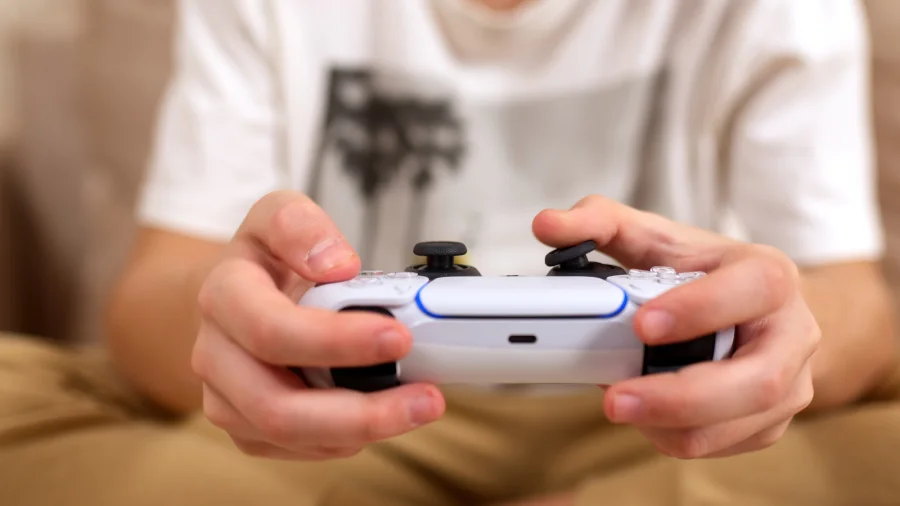
Your character drifts left. Your aim pulls wide. Your camera spins for no reason. Stick drift is the gaming glitch that ruins matches, and most players assume it means a dead controller. But according to the original story behind this guide, the fix might be far simpler — giving your controller a good clean can help beat stick drift on PS5 and Xbox controllers.
Why a clean can fix stick drift
Inside every analog stick sit small sensors that track movement. Dust, dead skin, food crumbs, and everyday grime collect around the base of the stick as you play. That debris interferes with the sensors, making the controller think the stick is moving when it isn't.
That is the drift you see on screen. Cleaning removes the buildup and lets the sensors read the stick position accurately again.
What actually causes stick drift on PS5 and Xbox controllers
Stick drift rarely has a single cause. Loose debris and grime are the most common culprits. But physical wear on internal parts, a damaged spring, or rough handling can also produce the same symptom.
For many players, dust is the real enemy. Controllers left out in the open, used during snacks, or handled with unwashed hands collect more residue — and drift faster.
Why this matters for everyday players
A new PS5 DualSense or Xbox Series X|S controller isn't cheap, and nobody wants to replace hardware for a problem a cotton swab might solve. Stick drift also hurts performance in competitive games, where a fraction of a second decides the match.
Cleaning first is the smartest first move. It costs almost nothing, takes minutes, and may save you the full cost of a replacement.
How to clean a PS5 DualSense controller for stick drift
Power off the controller first. Use a cotton swab lightly dampened with isopropyl alcohol — 70 percent or higher is a common recommendation. Gently rub around the base of the stick where it meets the controller shell, rotating the stick as you go.
Use compressed air to blow out loose dust from around the joystick. Let everything dry completely before turning the controller back on. Don't soak the swab — the goal is to clean, not drench.
How to clean an Xbox Series X|S controller for stick drift
The process is nearly identical for Xbox controllers. Remove the battery pack, power off, and clean around the stick base with a lightly alcohol-damped swab, just as you would on a DualSense.
Compressed air helps here too. A dry microfiber cloth can wipe away surface grime. Test the sticks after drying — if the drift is gone, you're back in the game.
What cleaning can't fix — and when to stop trying
Cleaning is not a guaranteed cure. Drift caused by worn-out internal components or a failing sensor won't disappear with alcohol and air.
If you have cleaned the sticks twice and drift still shows up, stop. Repeated cleaning won't help and risks leaving moisture inside the controller. At that point, the realistic options are professional repair, a replacement joystick module, or a new controller.
The balanced view: cleaning risks and limitations
Used correctly, a gentle clean is low risk. But there are real cautions. Too much liquid can seep inside and damage electronics. Water is riskier than isopropyl alcohol, which evaporates quickly. And prying open the controller can void its warranty.
The sensible approach: start with external cleaning only. If the drift persists, seek professional help or weigh repair against replacement cost.
What we know and what remains unclear
Confirmed: a good clean can help with stick drift, per the original story behind this article. The way debris confuses stick sensors is well understood.
Unclear: whether cleaning will help in every case. Drift can come from hardware wear that no external clean can reverse. Every controller is different, and no single fix works for all.
How to keep stick drift from coming back
Prevention is cheaper than any repair. Wash your hands before long gaming sessions. Avoid eating over the controller. Store it in a case or drawer when not in use, away from dust and pet hair.
Aim for a lighter touch while playing — aggressive stick mashing grinds debris deeper into the mechanism.