Your fingerprints wear out. Your iris scan sometimes fails. But your face — a live self-captured photo — can now complete your Aadhaar e-KYC. It is called self face-based biometric Aadhaar authentication, and for millions of people with worn fingerprints, it could be the difference between getting connected and getting stuck in paperwork.
What 'Biometric Aadhaar Authentication' Actually Means
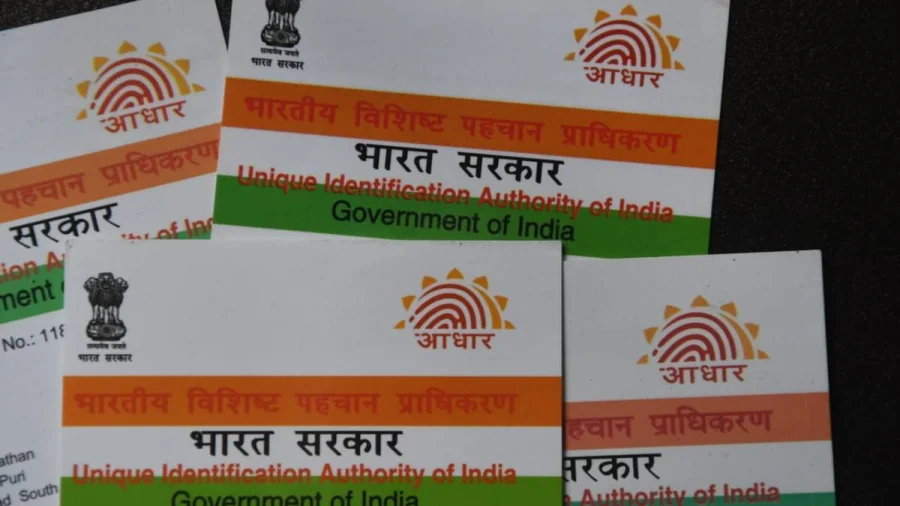
The original definition is straightforward: linking your Aadhaar with a consumer number using biometric data — finger prints or iris scan — is called biometric Aadhaar authentication.
Think of it as proving "I am who my Aadhaar says I am" using your body's unique identifiers. Electricity connections, telecom SIMs, bank accounts and other services use this to verify you without paper documents.
The Self-Mode e-KYC Flow, Step by Step
While the source material does not contain an official step-by-step UIDAI guide, the standard e-KYC flow works broadly like this:
Step 1: You give consent for e-KYC and share your Aadhaar number with the service provider. Step 2: Instead of fingerprints or iris, you capture a live photo of your own face using your device's camera. Step 3: The authentication request is sent to UIDAI's system for verification. Step 4: UIDAI returns a "Yes" or "No" response. If yes, your e-KYC is complete and your consumer number is linked to Aadhaar.
The exact buttons, app names and error-handling steps vary from provider to provider — so treat this as the core flow, not a universal screenshot guide.
Why Face Is a Big Deal for KYC
Fingerprints are the most common biometric, but they are not reliable for everyone. Senior citizens, construction workers, and people who handle chemicals or heavy manual labour often have worn-down fingerprints that scanners reject repeatedly.
Face-based authentication offers a practical alternative: a simple selfie-like capture that does not depend on finger condition. That is why self-mode matters — it puts the user in control instead of forcing a visit to a service center.
Who Benefits Most From Face-Based Authentication
The biggest beneficiaries are older adults who struggle with fingerprint scanners, rural users far from Aadhaar enrollment centers, and anyone whose biometrics have changed due to age or physical work.
For these groups, self face-based e-KYC can turn a frustrating, multi-visit process into a five-minute phone task — provided the service provider supports it.
The Authority Note: What We Could Not Verify
This article is based strictly on the supplied headline and definition. No official UIDAI press release, policy document, or step-by-step instruction was included in the source material.
That means specifics — such as which apps are authorized, minimum photo quality standards, and privacy safeguards — must be confirmed directly through UIDAI's official communications or your service provider before you attempt the process.
What Is Verified — and What We Still Don't Know
Verified: Biometric Aadhaar authentication means linking Aadhaar with a consumer number using fingerprints or iris scans, and the face-based version is the self-authentication variant of this process.
Unclear: The exact official steps for face-based self authentication, device compatibility requirements, and any recent UIDAI policy updates were not available in the provided sources. Treat anything beyond the definition above as needing confirmation.
Protect Yourself While Doing e-KYC
Biometric data is sensitive. Use only the official app or website of your service provider, never share OTPs or your Aadhaar number with unknown callers, and be suspicious of agents who ask for your fingerprint or face scan "unofficially."
A genuine e-KYC flow will always require your explicit consent. If anything feels rushed by an agent or is being done without your clear understanding, stop and verify through official helplines.
Fewer Fingerprint Failures: The Bigger Shift
The move toward face-based authentication is part of a larger pattern: India's digital identity system is gradually becoming more inclusive. One-size-fits-all biometrics are giving way to multi-modal options — fingerprint, iris, and now face — so that authentication works for more citizens, not just the majority.
What Happens Next
Expect more service providers to add the face-authentication option as device cameras improve and awareness grows. For now, the practical step is simple: check whether your electricity, telecom, or banking provider offers face-based e-KYC — and if it does, ask for the official instructions before you begin.
Our Take
Face-based Aadhaar authentication is a genuinely useful feature trapped inside a poorly explained process. The definition is clear, but the "how-to" remains scattered across provider apps. That gap is exactly why users should demand clear instructions from official sources — not rely on informal agents or screenshots shared on social media.
The technology is meant to remove barriers. Whether it actually does will depend on how well providers explain the steps.
Frequently Asked Questions
What is face-based biometric Aadhaar authentication?
It is a form of biometric Aadhaar authentication where a live photo of your face is used as the biometric input, instead of fingerprints or iris scans, to complete e-KYC and link your Aadhaar with a consumer number.
How is face authentication different from fingerprint authentication in e-KYC?
Fingerprint authentication uses your finger scans as the biometric identifier. Face authentication uses a self-captured photo of your face. Both are sent to UIDAI's system for verification, but face mode can work even when fingerprints are worn or damaged.
Do I need to visit an Aadhaar center for face-based e-KYC?
Not necessarily — the "self" mode is designed for you to capture your photo from your own device. However, since the exact process depends on your service provider's app, check whether your provider supports fully remote face-based authentication before assuming a visit is unnecessary.
Is self face-based Aadhaar e-KYC safe?
When done through official channels with your consent, it follows UIDAI's authentication process. To stay safe, use only your provider's official app or website, never share OTPs, and avoid agents who ask for biometric captures outside the official flow.