Summary
Loyola College recently held a workshop focused on digital accessibility for people with low vision. The event aimed to teach participants how to use technology and digital tools more easily. This matters because many websites and apps are still hard to use for people with vision problems. The workshop helped bridge that gap by offering hands-on training and expert advice.
Main Impact
The workshop at Loyola College directly addressed a common problem: digital tools that are not designed for everyone. People with low vision often struggle with small text, poor contrast, and complicated menus. By teaching practical skills, the event helped attendees feel more confident using computers, phones, and the internet. This kind of training is important because it makes daily tasks like reading emails, shopping online, or using social media much easier.
Key Details
What Happened
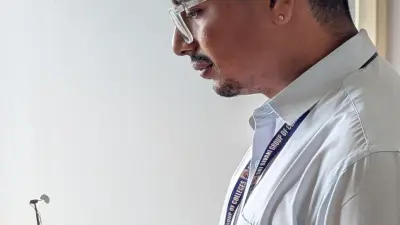
Loyola College organized a one-day workshop on digital accessibility. The event was open to students, teachers, and members of the local community. Experts in accessibility and technology led the sessions. They showed participants how to adjust screen settings, use voice commands, and navigate websites with ease.
Important Numbers and Facts
The workshop took place on July 15, 2026. Around 50 people attended. The sessions covered topics like screen readers, magnification tools, and keyboard shortcuts. The college plans to hold similar events in the future to reach more people.
Background and Context
Digital accessibility means making technology usable for everyone, including people with disabilities. Many websites and apps are not built with accessibility in mind. This creates barriers for people with low vision, who may find it hard to read small text or see low-contrast colors. Workshops like this one help raise awareness and teach practical solutions. They also encourage tech companies to think about accessibility from the start.
Public or Industry Reaction
Attendees said the workshop was very helpful. Many said they learned new ways to use their devices. One participant noted that the training made her feel more independent. Teachers at the college also praised the event, saying it showed the importance of inclusive design. Local disability rights groups supported the workshop and hope to see more such programs.
What This Means Going Forward
This workshop is a step toward a more inclusive digital world. As more people rely on technology for work, school, and daily life, accessibility becomes even more important. Loyola College's effort shows that education can play a big role in closing the digital divide. Other schools and organizations may follow this example. The hope is that future technology will be built with everyone in mind, not just those without disabilities.
Final Take
Digital accessibility is not just a nice-to-have—it is a necessity. Workshops like the one at Loyola College give people with low vision the tools they need to participate fully in today's digital world. By teaching simple adjustments and sharing knowledge, such events make a real difference. The more we talk about and practice accessibility, the better technology becomes for everyone.
Frequently Asked Questions
What is digital accessibility?
Digital accessibility means designing websites, apps, and devices so that people with disabilities can use them easily. This includes features like larger text, voice commands, and screen readers.
Who can benefit from digital accessibility training?
Anyone with vision problems, including people with low vision or blindness, can benefit. But the training also helps older adults, people with learning disabilities, and anyone who finds technology hard to use.
How can I make my own device more accessible?
You can adjust settings like text size, contrast, and brightness. Many devices also have built-in screen readers and voice control. Check your device's accessibility settings to find options that work for you.