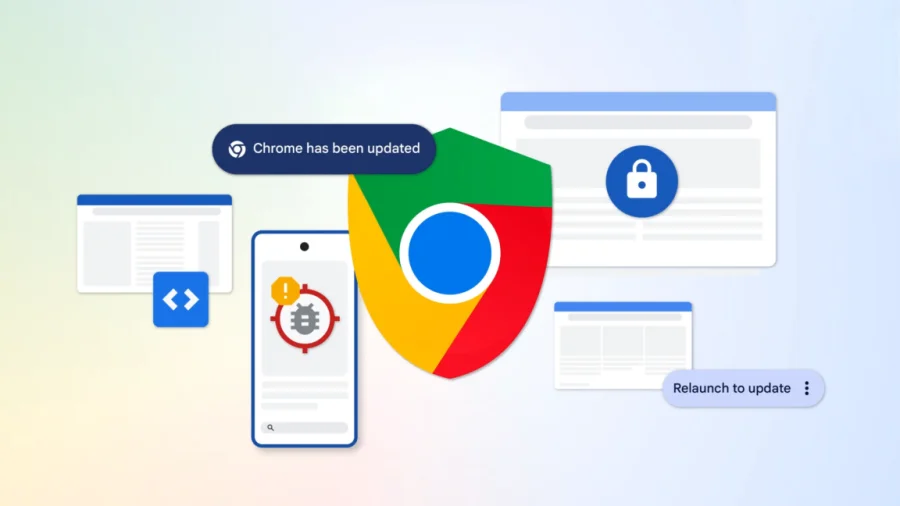
The browser you use every day may soon stop asking you to "restart to apply updates." Google is exploring a future where Chrome updates install themselves without requiring a restart — just as your phone updates apps in the background. The shift, if implemented, would address a long-standing frustration for millions of users and come just as AI-powered security scanning is flooding Google with an unprecedented number of flaws to fix.
Why Chrome updates may need to change — and fast
Google has dramatically accelerated the pace of Chrome security updates. In the span of a few weeks between early and late June 2025, Chrome shipped two milestone builds — version 149 and version 150. Together, they accounted for a staggering 1,072 bug fixes. To put that in perspective, that's more fixes than the previous 23 Chrome milestone releases combined. The culprit behind the explosion: large cybersecurity AI models that can now probe Chrome's code for vulnerabilities at machine speed.
The AI factor: how detection is outpacing delivery
Google's use of AI for vulnerability discovery has transformed the security landscape. What used to take human researchers months can now be uncovered in hours. But more bugs found means more patches needed — and more updates pushed to users. The company now faces a problem: how do you keep Chrome secure without overwhelming people with constant update prompts and restarts?
What a "no restart required" future could look like
According to Google, the team is working on ways to roll out updates "without bothering you as much." That likely means adopting techniques used by mobile operating systems and some cloud browsers — where patches are applied to a separate copy of the browser that is swapped in seamlessly, or where only specific modules are hot-patched without bringing down the entire application. In such a system, Chrome could continue running while critical security fixes land in the background.
Who would benefit most
For everyday users, fewer restart prompts mean fewer interruptions during work, streaming, or video calls. For enterprise IT teams, it could mean faster compliance with security policies without forcing employees to restart browsers mid-shift. For Google, it solves a growing tension: more frequent updates are good for security, but only if users actually install them.
Google’s evolving update philosophy
Google has not yet confirmed when or if this seamless update system will officially roll out to all Chrome channels. However, the internal exploration signals a recognition that the old model — release every few weeks, ask for a restart — is no longer sustainable. The company pioneered rapid releases for browsers; now it may need to pioneer silent, incremental ones.
Confirmed facts vs what remains unclear
What is confirmed: Chrome 149 and 150 contained 1,072 fixes, and Google attributes this surge to AI-driven vulnerability analysis. The company is researching ways to deliver faster updates without requiring a restart. What remains speculative: the exact technical mechanism, whether this will work on all operating systems, and any timeline for deployment. Google has not made a formal announcement.
How Chrome's update model compares
Competitors have already moved toward less disruptive updates. Microsoft Edge, built on Chromium, uses background updates with delayed restart prompts. Apple's Safari updates often come via macOS system updates. Google’s move could set a new standard for Chromium-based browsers, which power a huge share of the web.
Risks and balanced view
Silent updates carry their own risks: they reduce user awareness of what is being installed, and could potentially introduce bugs that are harder to roll back if applied without a restart. Some experts warn that background patching may conflict with enterprise security policies that require user consent for each update. Additionally, not all fixes may be patchable without a full restart — kernel-level or rendering engine changes could still require a browser reboot.
What users should do now
No action is needed yet. Chrome continues to update automatically under its current model. If you want to stay ahead of security fixes, simply ensure that automatic updates are enabled in Chrome settings (Settings > About Chrome). There is no need to manually hunt for every update — Google will apply them as they arrive.
The bigger picture: AI is reshaping software maintenance
The Chrome situation is a microcosm of a broader trend: AI is finding flaws faster than humans can build delivery pipelines. From operating systems to cloud services, every major tech company is grappling with how to patch quickly without breaking user experience. Chrome’s experiment with no-restart updates may well become a template for the rest of the industry.
Our Take
The numbers are hard to ignore. Over 1,000 fixes in two releases is not a blip — it’s a signal that the game has changed. Google is right to rethink its update delivery model. But the real challenge isn’t technical; it’s trust. Users need to feel confident that background patches won’t break their tabs or slow down their machine. If Google can pull this off without hiccups, it will set a new benchmark for browser security. If it stumbles, the rest of the industry will take note of what not to do.
Frequently Asked Questions
Will Chrome updates stop requiring a restart completely?
Google is exploring options to reduce or eliminate restarts for many updates, particularly security patches. Some deep system changes may still need a restart, but the goal is to make routine fixes apply seamlessly in the background.
When will this no-restart feature be available?
Google has not announced any timeline. The company is currently in the research and testing phase. It may debut first in the Canary or Dev channels before rolling out to all users.
Why has Chrome had so many bug fixes lately?
AI-driven security models are scanning Chrome’s code at unprecedented speed, uncovering vulnerabilities that previously took humans months to find. This has dramatically increased the number of fixes needed in each release.
Will silent updates affect my browser extensions or open tabs?
Google’s aim is to apply patches without disrupting your session. That means extensions and open tabs should continue to work normally. However, specific technical details have not been shared yet.