Summary
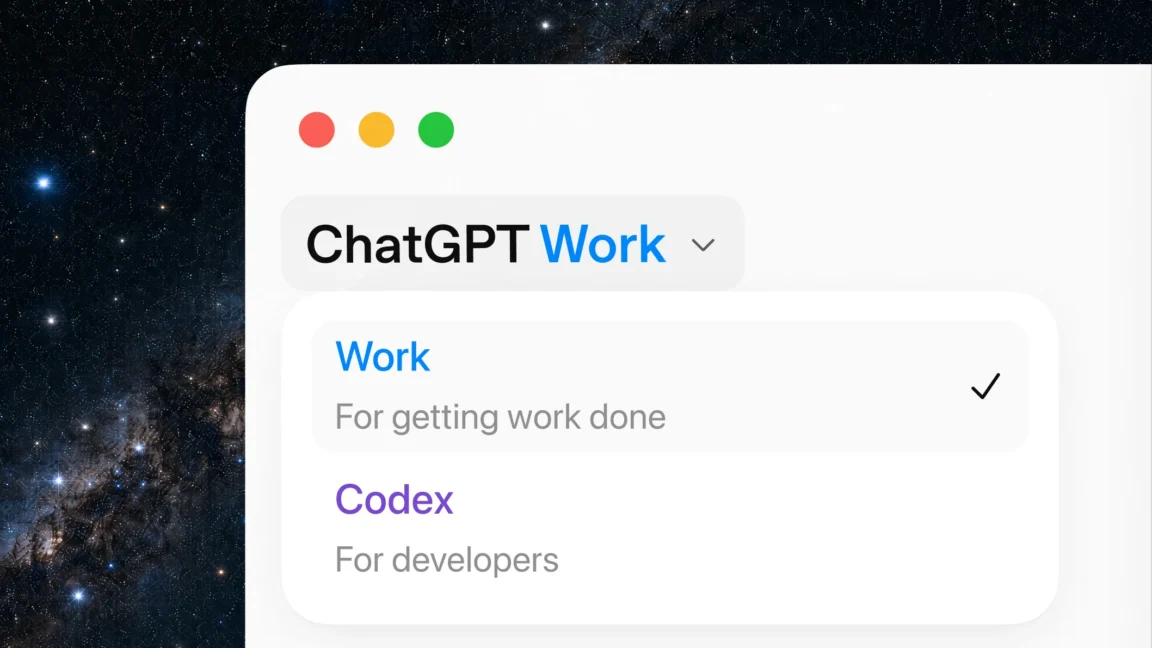
OpenAI has launched a new tool called ChatGPT Work that can handle long and complex tasks for hours at a time. Unlike earlier versions that stopped after a few minutes, this tool is designed to stay with a project until it is finished. It can automate entire workflows, from research to creating marketing materials, while still asking for user approval on important steps.
Main Impact
The biggest change with ChatGPT Work is that it can now work on tasks for hours without stopping. This solves a major problem users had with OpenAI's earlier "Agent Mode" in the Atlas web browser, which often stopped after just a few minutes. For people who need help with ongoing or complex work, this new tool could save a lot of time and effort.
Key Details
What Happened
OpenAI announced ChatGPT Work on July 10, 2026. The tool is built to take a goal and turn it into finished work. It can handle tasks like analyzing a budget, preparing for a sales meeting, or creating marketing materials from customer research. The company says the tool will wait for users to approve important actions before moving forward.
Important Numbers and Facts
The tool includes Scheduled Tasks, which are like automated jobs that run on a set schedule or when a specific event happens. These tasks can keep going even when the user is away from their desk. Users can also monitor progress from their phone. OpenAI is asking users to test the tool by giving it a task they already know well, such as reviewing a budget or getting ready for a sales meeting.
Background and Context
Last year, OpenAI released "Agent Mode" in its Atlas web browser. Many users found it useful for short tasks, but it often stopped working after a few minutes. This made it hard to use for longer or more complex projects. With ChatGPT Work, OpenAI is trying to fix that problem by offering a tool that can stay with a project for hours. This is part of a larger trend in AI where companies are building tools that can do more than just answer questions—they can actually complete work.
Public or Industry Reaction
Early reactions from users and tech experts are mixed. Some are excited about the idea of a tool that can handle long tasks without stopping. Others are cautious, wondering if the tool will really work as promised. Many are also curious about how well the tool will handle complex tasks that require human judgment. OpenAI is encouraging users to try the tool themselves and see how it performs.
What This Means Going Forward
If ChatGPT Work works as advertised, it could change how people use AI for work. Instead of just asking questions, users could give the tool a goal and let it work on its own for hours. This could be especially useful for tasks like data analysis, content creation, and project planning. However, there are still risks. The tool might make mistakes or misunderstand instructions. Users will need to check its work and approve important steps. Over time, tools like this could make many jobs faster and easier, but they will also require careful oversight.
Final Take
ChatGPT Work is a big step forward for OpenAI. It promises to do more than just answer questions—it can actually complete work. But the real test will be whether it can handle complex, real-world tasks without making errors. For now, users should try it out and see if it lives up to the hype.
Frequently Asked Questions
What is ChatGPT Work?
ChatGPT Work is a new tool from OpenAI that can handle long and complex tasks for hours. It can automate workflows, like going from customer research to creating marketing materials, while still asking for user approval on important steps.
How is ChatGPT Work different from earlier OpenAI tools?
Earlier tools like "Agent Mode" in the Atlas web browser often stopped after a few minutes. ChatGPT Work is designed to stay with a project for hours, making it better for ongoing or complex tasks.
Can ChatGPT Work run tasks when I am away?
Yes. ChatGPT Work includes Scheduled Tasks that can run on a set schedule or when a specific event happens. These tasks can keep going when you are away from your desk, and you can monitor them from your phone.