Summary
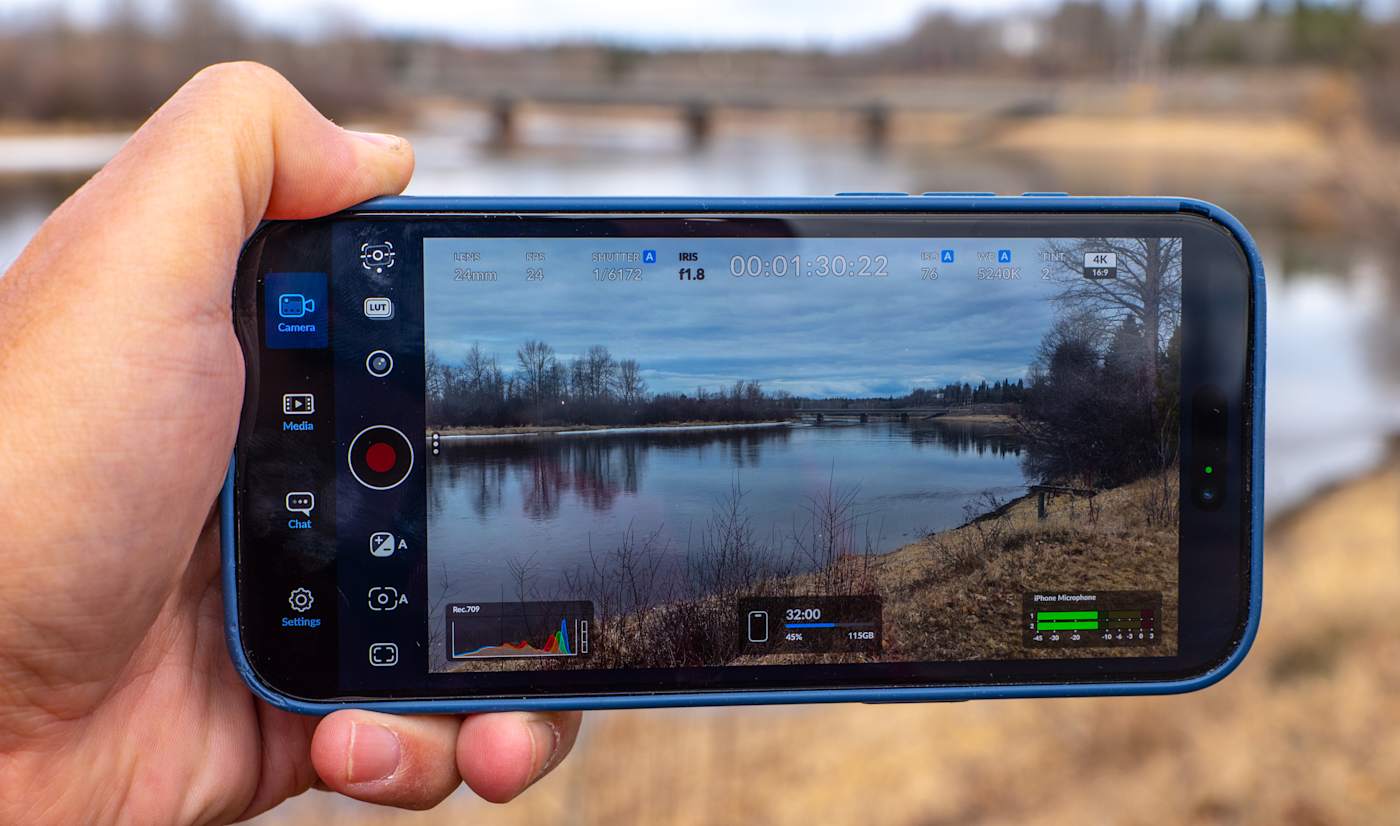
Blackmagic Design has released a major update for its popular iPhone video app, Blackmagic Camera. The new version 3.3 introduces a dedicated Apple Watch app that allows users to control their phone cameras from their wrists. This update also brings professional broadcast features that let an iPhone work as a high-end studio camera. These changes make the app much more useful for people who film themselves or work in live television production.
Main Impact
The biggest change is the freedom it gives to solo content creators. In the past, if you were filming yourself with an iPhone, you often had to walk back and forth to the camera to check settings or start recording. Now, you can do all of that using an Apple Watch. For professional users, the update turns the iPhone into a serious tool for live streaming and broadcasting. By connecting the phone to professional switching gear, it can now function just like the expensive cameras used in TV studios.
Key Details
What Happened
Blackmagic Camera version 3.3 is now available on the Apple App Store. The most talked-about feature is the Apple Watch companion app. Once you install it, the watch connects to your iPhone over Wi-Fi. You can see a small preview of the video on your wrist to make sure you are in the frame. You can also change important settings like the frame rate, white balance, and light sensitivity without touching the phone. This is perfect for vloggers who mount their phones on tripods and need to stay in position while filming.
The update also focuses on professional hardware. It adds support for the ATEM camera control system. This means a person running a live show can control an iPhone’s settings from a central control board. To make this work, Blackmagic also highlighted its ProDock hardware. This device gives the iPhone the same types of plugs and connections found on professional movie cameras, such as HDMI and timecode ports.
Important Numbers and Facts
The Blackmagic Camera app remains a free download for all iOS users. However, some of the professional features require extra equipment. The Blackmagic Camera ProDock, which is needed for the best broadcast connection, costs $420. This hardware is designed specifically for the iPhone 17 Pro and iPhone 17 Pro Max. The update also includes new software improvements, such as better stabilization for ProRes RAW video files, which helps keep footage smooth even when the camera moves.
Background and Context
Blackmagic Design is a company famous for making high-end movie cameras and professional editing software called DaVinci Resolve. A few years ago, they released a free app for the iPhone to give regular users the same manual controls that professionals use. Since then, the app has become a favorite for filmmakers who want to get the best possible quality out of their smartphones. This latest update shows that the company wants to bridge the gap between mobile phones and professional television studios. As phone cameras get better, more professionals are using them as extra cameras during live events or news broadcasts.
Public or Industry Reaction
The response from the creative community has been very positive. Solo creators are particularly happy about the Apple Watch support because it solves a common problem in mobile filmmaking. Being able to see the camera view on a watch makes it much easier to set up a shot when no one else is there to help. Professional broadcasters are also interested in the new ATEM controls. While using an iPhone as a studio camera might have seemed strange a few years ago, the addition of professional ports and remote control makes it a realistic choice for small studios or budget-friendly live streams.
What This Means Going Forward
This update suggests that the line between a smartphone and a professional camera is getting thinner. In the future, we will likely see more accessories that turn phones into broadcast-ready tools. For everyday users, it means that the tools used by Hollywood directors are becoming more accessible. For the industry, it means that live events can be filmed with more camera angles at a lower cost. We can expect Blackmagic to continue adding features that allow the iPhone to talk to other professional video gear, making the phone a central part of the professional video world.
Final Take
Blackmagic has taken a powerful free app and made it even better for both beginners and experts. By adding Apple Watch support, they have made life easier for millions of people who create content alone. At the same time, they have given professional studios a reason to take the iPhone seriously as a broadcast tool. Whether you are a YouTuber or a TV producer, this update provides new ways to capture high-quality video with the device already in your pocket.
Frequently Asked Questions
Is the Blackmagic Camera app free to use?
Yes, the app is a free download from the Apple App Store. It does not require a subscription to use the main filming features or the new Apple Watch app.
Which iPhones work with the new broadcast features?
While the app works on many iPhones, the advanced broadcast features and the ProDock hardware are designed for the iPhone 17 Pro and iPhone 17 Pro Max models.
Can I see the video on my Apple Watch?
Yes, the new Watch app provides a remote view of the camera. This helps you check your framing, though the screen is too small to check if the image is perfectly in focus.