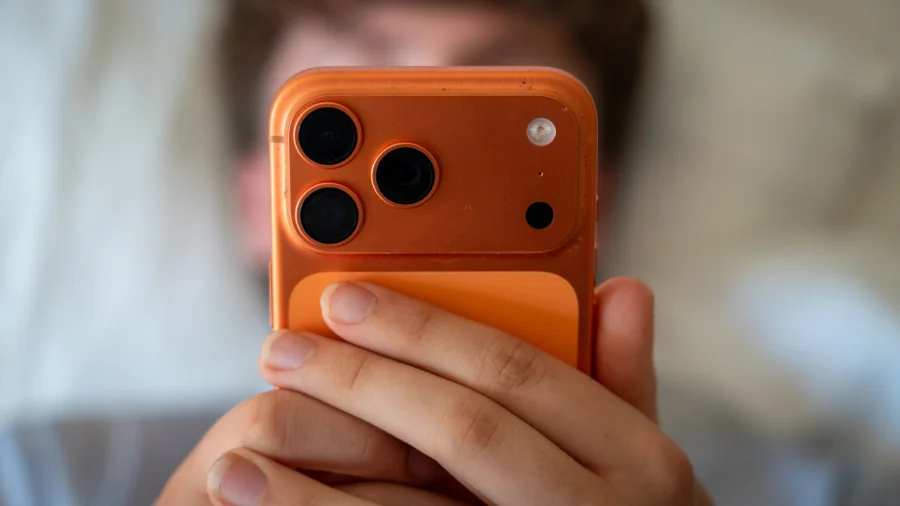
Your finger is hovering over the button. "Allow" or "Ask App Not to Track" — a decision that takes two seconds and is over before the app even finishes loading. But that two-second choice decides whether dozens of companies get to watch how you spend your digital life. Most people tap without knowing what actually happens next.
The Pop-Up That Decides More Than You Think
On iPhones, the prompt appears through Apple's App Tracking Transparency system. Tapping "Allow" gives the app permission to track your activity across other apps and websites owned by other companies. The fingerprint of your device — called the Identifier for Advertisers, or IDFA — becomes available to the app for that purpose.
Here is what the prompt does not tell you: tracking is not one company watching you. It is a permission slip that opens the door to a chain of data intermediaries.
The Moment You Say Yes: What Actually Leaves Your Phone
When you allow tracking, the app receives a unique identifier tied to your device. Along with that, it can send out a stream of signals — which screens you opened, what you added to a cart, which features you ignored, your rough location, and patterns about when you use the app.
The identifier becomes the thread that stitches those signals together with data from other apps that also got a "yes" from you. No one is reading your private messages. Tracking is about behaviour and context, not conversation content.
Where the Data Goes and Who Is Watching
That identifier and activity feed into advertising platforms — Meta, Google, and smaller ad networks — as well as data brokers that buy and sell behavioural profiles. Advertisers use these profiles to find people like you, measure whether an ad actually led to a purchase, and build "lookalike" audiences to target next.
The data often moves through several intermediaries before it reaches an advertiser. That is why the trail is so hard for an ordinary user to follow.
Why This Matters: The Price of "Free" Apps
Most apps that cost nothing earn their money through ads. More tracking means more valuable advertising space. When you select "Ask App Not to Track," the app can still show you ads — it just has less personal data to aim them with.
That is the real trade-off hiding inside the pop-up: a free service in exchange for behavioural data. The uncomfortable question is whether users ever get to negotiate that exchange fairly.
What Apple, Google and Regulators Say
Apple has said the prompt exists to give users more control over their privacy. Google's approach is different: Android devices carry an advertising ID, but users can reset it or turn off ad personalisation entirely.
In India, the Digital Personal Data Protection Act 2023 requires meaningful consent before personal data is used. In Europe, the GDPR has pushed apps to explain what they collect before asking. The guardrails exist on paper — enforcement is a separate story.
Is Tracking Always Bad? The Balanced View
Supporters of tracking argue it keeps free services alive, helps small businesses reach relevant customers, and funds app development. Critics describe it as a surveillance economy where users hand over more than they realise for less than they assume.
Both views have merit. The problem is not that tracking exists; it is that most people agree to it without knowing its value — or its reach.
What Is Confirmed and What Still Is Not Clear
Confirmed: the prompt controls access to the IDFA, and apps that track without permission risk removal from the App Store. Confirmed: changing your choice later is possible in both iOS and Android settings.
Unclear: exactly which third parties receive your data after it leaves the app, how long behavioural profiles are retained, and whether anonymised data can be re-identified with newer AI tools. No one outside the companies can fully verify the trail. That uncertainty is part of the problem.
The Wider Shift: Privacy Is Becoming a Product Feature
From Apple's transparency prompt to Google's Privacy Sandbox and India's data protection law, one trend is clear: permission is becoming the default language of the digital economy. Apps that ask less and explain more are earning user trust. Those that hide behind confusing screens are drawing regulatory attention.
What You Can Do Right Now
On an iPhone, go to Settings > Privacy & Security > Tracking. You can turn off "Allow Apps to Request to Track" entirely, or manage the choice app by app. On Android, check Settings > Privacy > Ads to reset your advertising ID or opt out of ad personalisation.
Review app permissions at least once a month. Revoke location access from apps that do not genuinely need it. And remember: denying tracking rarely means more privacy if you keep handing over the same data through other permissions.
Where Tracking Rules Are Headed Next
Regulators are now looking beyond ads — at health data, AI model training, and cross-device linking. Expect more consent screens, clearer "privacy labels" on app stores, and a slow shift from tracking-based ads toward contextual advertising that matches ads to content, not to you.
Nothing about this is settled. The next few years will decide whether the pop-up becomes a real tool of control or just another screen people swipe past.
Our Take
The tracking prompt is a rare moment of honesty in an industry built on invisible data flows. For two seconds, a user is told the truth: something is being collected. The problem is that almost no one knows what that something is worth.
The real fix is not a better pop-up. It is making the data ecosystem understandable enough that the choice is real. Until then, "Ask App Not to Track" is the closest thing to a privacy vote most users will ever get.
Frequently Asked Questions
What happens if I tap "Ask App Not to Track"?
The app cannot access your device's advertising identifier to link your activity across other apps and websites. It can still show ads, but those ads will not be personalised using a cross-app profile of your behaviour.
Does "Ask App Not to Track" stop all data collection?
No. Apps can still collect data from your use of the app itself, and other tracking methods can exist, though Apple restricts them. The prompt only blocks the specific cross-app tracking identifier, not all data collection within the app.
If I decline tracking, will I see fewer ads?
Not necessarily. You will see a similar number of ads, but they are less likely to follow you from other apps or reflect activity from elsewhere. Some apps may also restrict features for users who decline.
Can I change my tracking decision after saying yes?
Yes. On iPhone, go to Settings > Privacy & Security > Tracking and disable tracking for individual apps or for all apps. On Android, you can reset your advertising ID or opt out of ad personalisation at any time.